

VPN for iPhone and iPad: first launch and App Store billing
Ben's VPN for iPhone and iPad has one App Store listing and requires iOS 15.5 and newer. You can subscribe through Apple in the app or sign in with a plan you already have. A linked e-mail address makes the plan available on your other devices.
Other systems: all downloads.

3 steps from the App Store to the first connection
-
Install and open the app
The button above opens the App Store listing. On first launch, the app shows “Welcome!” and then “Setting up the app for the first time…”. During this setup, it creates a guest account for the device. The main screen opens next.
-
Tap Connect
The Buy Ben's VPN window opens with App Store subscriptions. This happens while the account has no plan. To use a paid plan, tap Already have a subscription? → Sign in to account at the top of that window.
-
Allow the VPN in iOS
iOS asks for VPN permission on the first connection. Tap “Allow”. A declined request makes the connection fail. The error message then has a button that opens “System permission required”. Tap Grant permission there, and iOS asks again.
Choosing a location connects at once by default
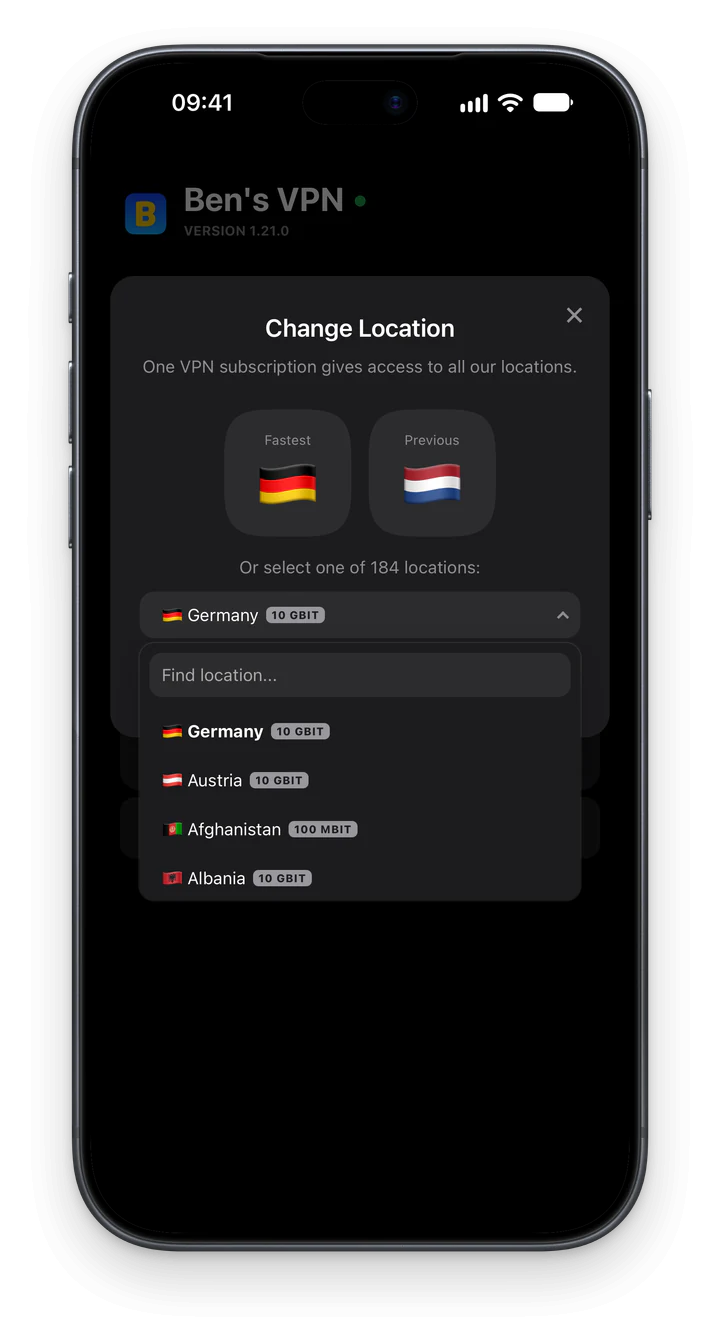
Location under the card opens Change Location. The window has 2 tiles at the top. With Fastest, the app selects a nearby location. Previous returns to the location you used last. Below the tiles is a searchable list of locations. Each location has a speed label from 10 GBIT, 1 GBIT, 250 MBIT and 100 MBIT.
Automatically connect when changing location is on by default. A tap on a location then connects you at once. An active connection moves to the new location. Clear this checkbox to change the location without connecting. The new location then applies at your next connection.
An App Store subscription belongs to your account
A subscription bought in the app is paid through Apple. It belongs to the account you are signed in to. Tap Link e-mail under Account first. This step is for the guest account from the first launch. Then sign in to the same account on a computer or an Android phone to use the plan there.
Restore purchases in the purchase window recovers an App Store subscription paid on another device. Use it on a new iPhone or iPad. Another account with an active subscription may own the purchase. In that case, the app shows the e-mail address of that account in masked form. Sign in to that account to use the plan.
You cancel an App Store subscription in the iPhone subscription settings. A plan paid on our website is cancelled on your account page.
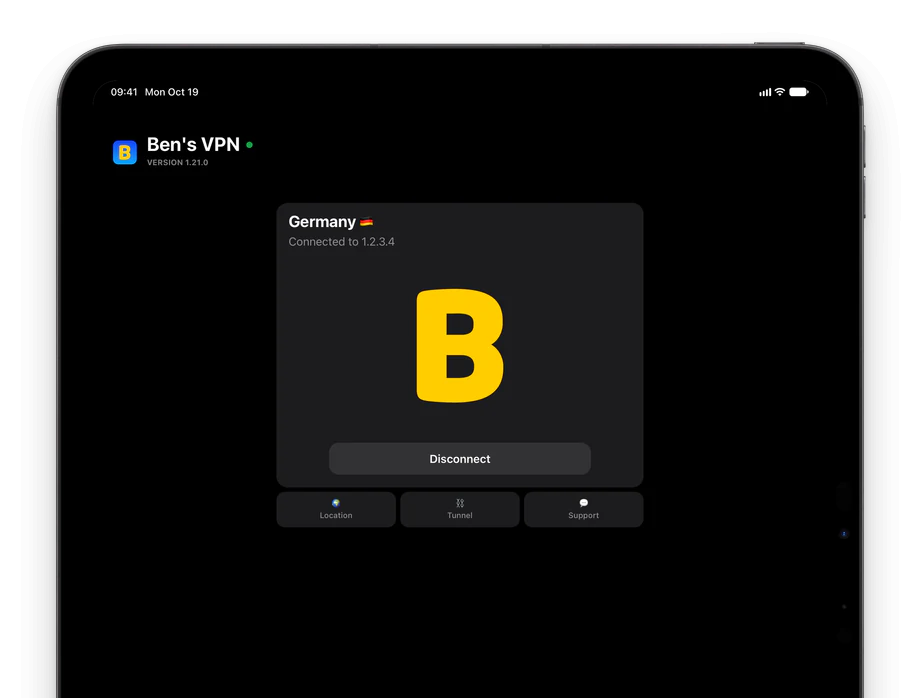
iPad: the same App Store listing
The iPad uses the same App Store listing and the same screens as the iPhone. It needs no separate plan. Open the sign-in screen as in step 2 and use your phone’s account. Sign in with Email sends a 6-digit code to the e-mail linked to that account. Sign in with code takes the 8 digits that the iPhone shows under Account → Sign in on another device.
Plans with no device limit
This site accepts cards and cryptocurrency. Enter an e-mail address at checkout. Sign in with that address in the app, and the plan appears on your iPhone.

Bonus months come with purchases on this site. Refunds follow our refund policy. Send the request within 14 days of payment.
iPhone and iPad questions
Support 24/7: the chat on this site, Telegram @bensvpn and [email protected].
iOS no longer asks for VPN permission. How do I restore the prompt?
Open Settings → General → VPN & Device Management. Delete the app’s profile there. Then tap Connect, and iOS asks for permission again.
What does “Another VPN is active” mean on an iPhone?
iOS runs only one VPN at a time. Open Settings → VPN and disable the other connections. Leave only this app active, then connect again.
Can I keep specific apps outside the VPN on an iPhone?
No. App selection exists only in the Android version (see VPN for Android). On the iPhone, exclusions work by address. Enter IP addresses, subnets or domains in Tunnel → Manual, one per line. They bypass the VPN after you reconnect.
Why does the first launch stay on “Setting up the app for the first time…”?
A long setup can mean that your network blocks our servers. The app then offers an automatic search for a working mirror. You can also enter a mirror manually. Setup continues in the background meanwhile.

Start for 3 days, then decide
The trial costs $0.50 and opens all 187 countries and every app.


